
Guides · Bills
Manage your bills with Cyclar
Stop hunting through emails and bank statements. Put every recurring bill in one place so you always know what's coming.
The problem
Recurring bills scatter easily.
Subscriptions renew quietly. Utilities arrive on different dates. Loans sit in another app. Most people can name a few bills off the top of their head, but not the full picture of what's due this month.
That gap creates a quiet worry: something might slip, or you might commit to a purchase without knowing what's already spoken for.
How Cyclar helps
One list. Clear categories. Dates that write themselves.
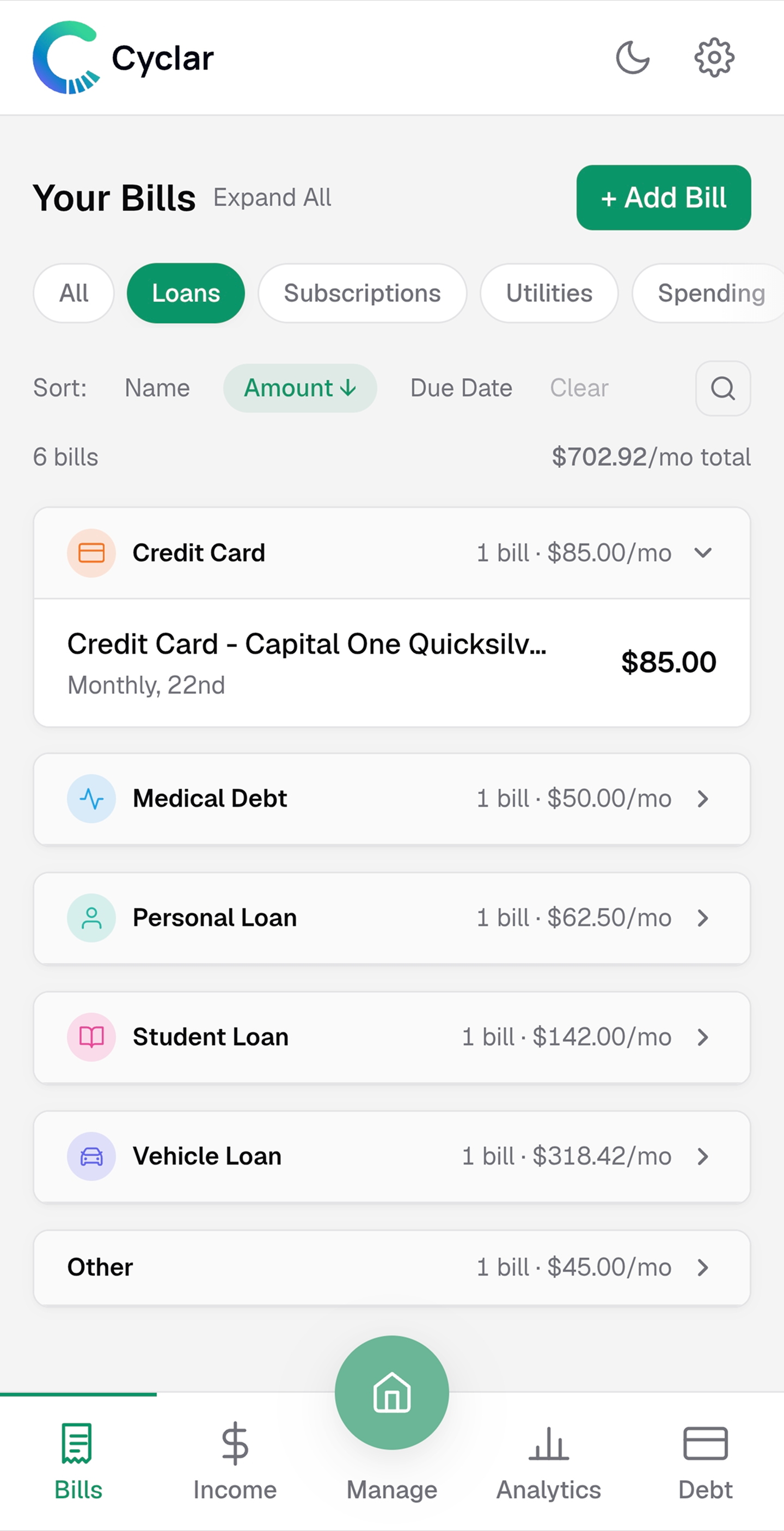
Cyclar's Bills view is built for recurring money out: loans, subscriptions, utilities, and everyday spending. You enter each bill once. Cyclar keeps the calendar current.
-
Categories that match real life
Group bills the way you think about them, so scanning the list feels natural instead of like a spreadsheet dump.
-
Set recurrence once
Weekly, monthly, or custom. Cyclar generates upcoming due dates automatically so you are not retyping the same bill every cycle.
-
Works with Manage
Bills you define here feed the paycheck and monthly views, so planning starts from a reliable source of truth.
How to do it
Get your bills into Cyclar in a few minutes.
-
Add each recurring bill
Start with the ones you never want to miss: rent or mortgage, utilities, loan payments, and subscriptions. Include the amount and due pattern.
-
Assign a category
Put each bill where it belongs so you can scan by type later. Categories make the list readable when you have more than a handful of entries.
-
Confirm recurrence
Set how often it repeats. Cyclar generates the upcoming due dates so Manage can show what's due before your next paycheck.
-
Keep it current
When a subscription changes price or you cancel something, update it once. Your future due dates stay accurate without rebuilding the whole list.
Put every bill in one place.
Try Cyclar free for 30 days. No bank linking. No credit card required.
Try free for 30 daysNo card required · Cancel anytime