
Guides · Manage
Plan paycheck to paycheck with Cyclar
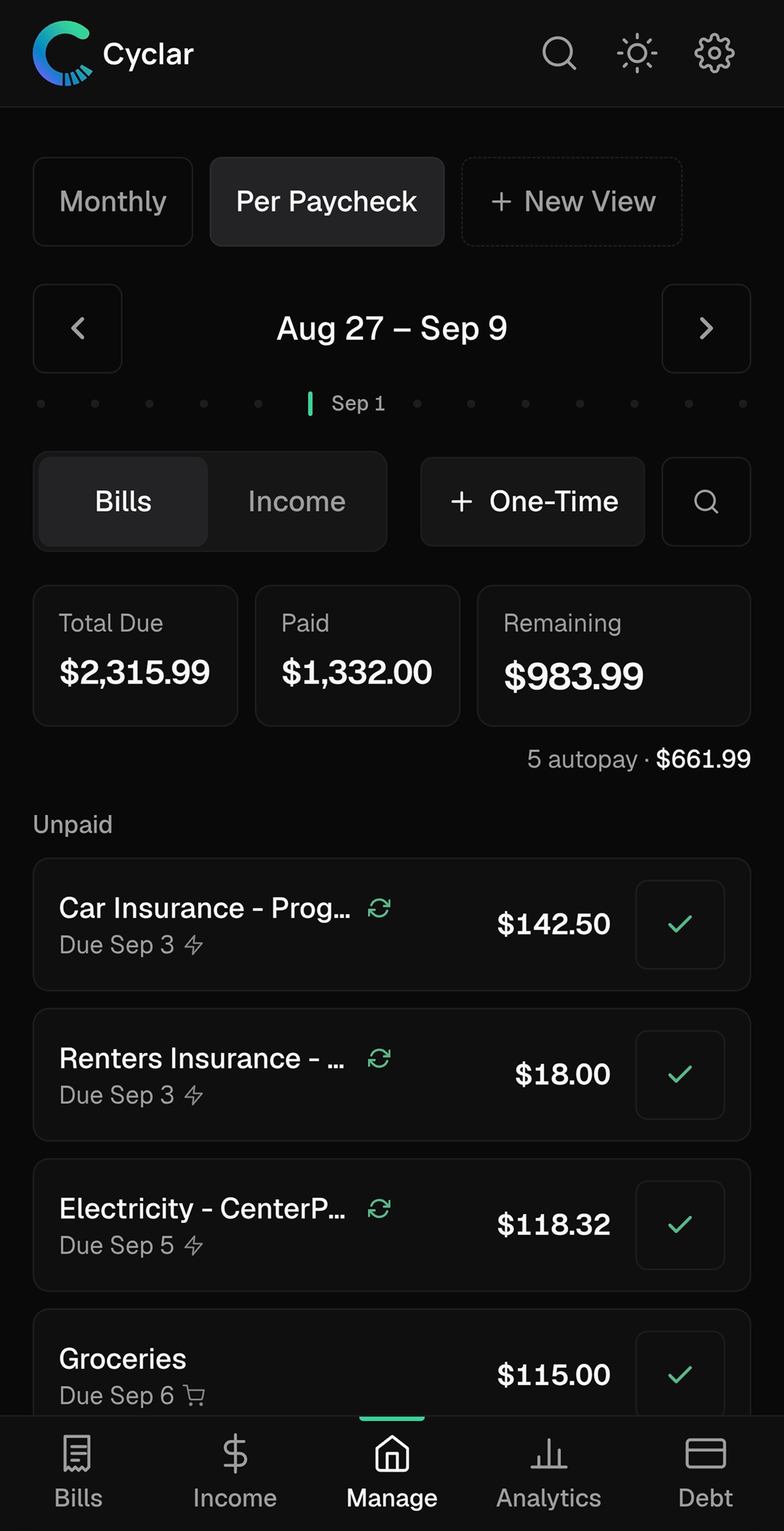
See exactly what's due before your next payday. Switch to end of month or a custom range when the question changes.
The problem
"Can I afford this before Friday?" should be easy to answer.
Monthly budgets hide the timing that actually matters. Money arrives on payday. Bills hit on their own schedule. The real question is usually shorter: what is due before my next paycheck, and have I covered it yet?
Without that window, every purchase feels like a guess.
How Cyclar helps
Manage shows the window that matters right now.
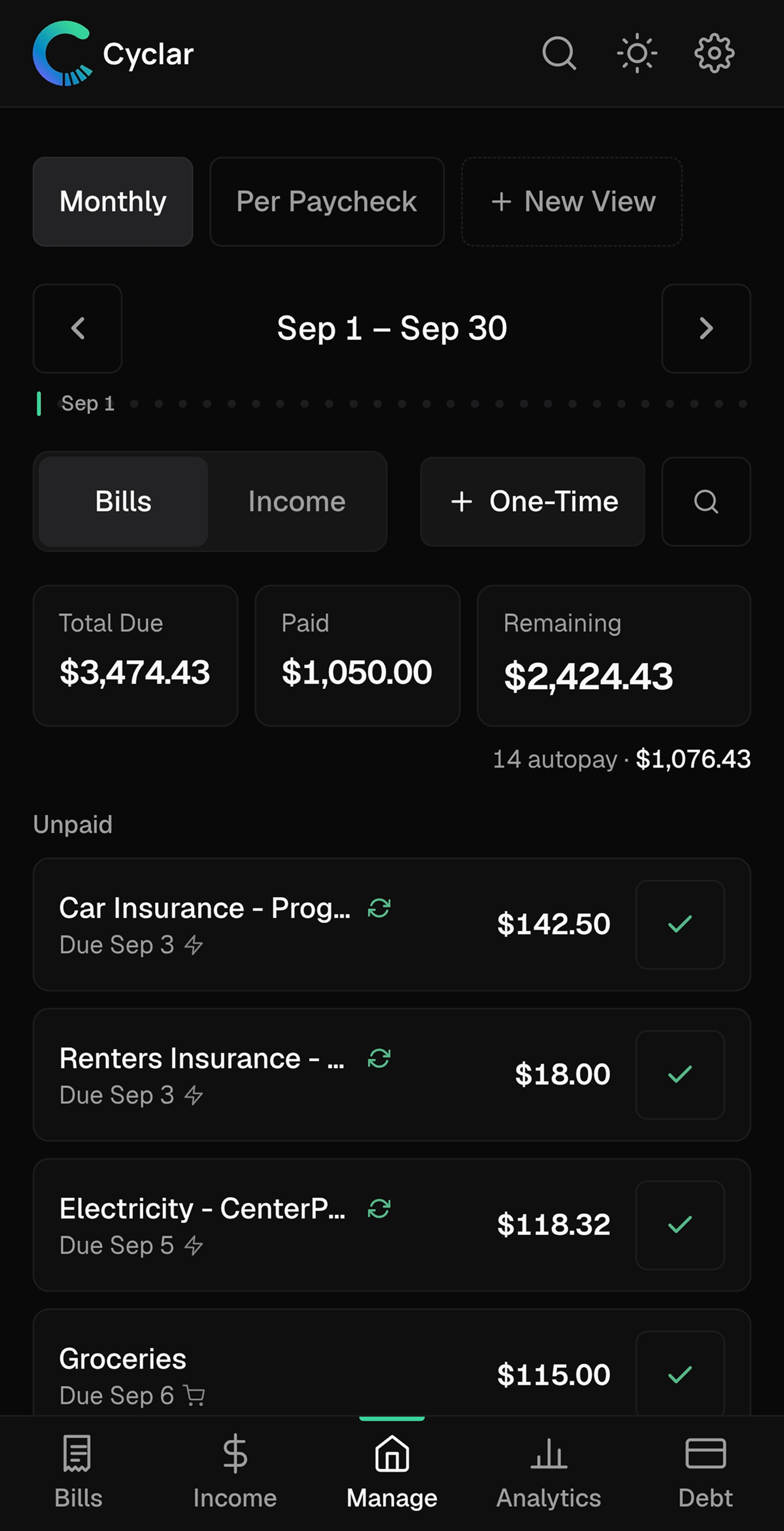
The Manage view focuses your cashflow on a time range you choose: next paycheck, end of month, or a custom span. Bills land in clear statuses so you know what still needs attention.
-
Outstanding
Still ahead of you in this window. These are the bills that decide whether you are okay until payday.
-
Unpaid
Due or past due and not marked paid yet. The list that needs action, not later.
-
Paid
Already handled in this window. Progress you can see without digging through history.
How to do it
Use Manage as your daily check-in.
-
Set up income and bills first
Add your income sources and recurring bills so Manage has a complete picture to work from.
-
Open Manage and pick your window
Start with next paycheck for day-to-day clarity. Switch to end of month when you want the wider view.
-
Scan Outstanding and Unpaid
Those two groups answer "what's left?" Mark bills paid as you handle them so the picture stays honest.
-
Check in on your phone
Manage is built for quick look-ins. Confirm what's due before you spend, then dig deeper on your laptop when you want to plan.
Know what's due before payday.
Try Cyclar free for 30 days. No bank linking. No credit card required.
Try free for 30 daysNo card required · Cancel anytime